The scene
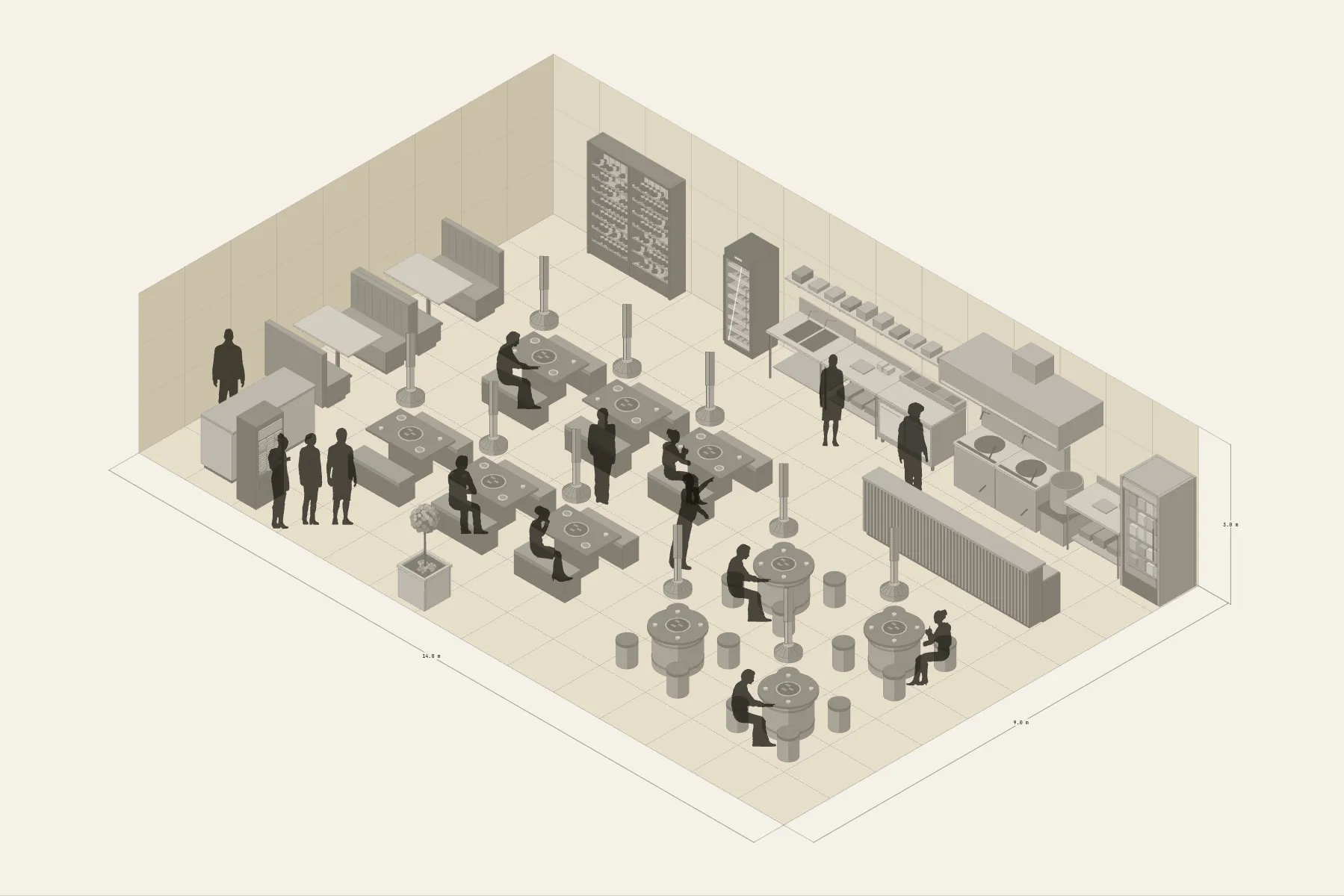
A 14 × 9 m barbecue restaurant on the street. Customers order at the ticket machine by the door and wait there. Inside are ten grill tables, each with its own extraction duct above it. The kitchen runs along the back wall with a hood over the wok range, and food comes out across the pass. Banquettes line one wall, next to a bottle wall.
When it helps
- While viewing a unit, to estimate tables and covers.
- You need to agree positions with the extraction, kitchen equipment and fit-out contractors.
- You want to check the aisle widths for serving and for customers coming and going.
What’s already laid out
- A kitchen along the back wall: a 3.6 m wok range under an extraction hood.
- A pass separating the kitchen from the dining area.
- Six barbecue tables in two rows, each with its own extraction duct.
- Four Korean barbecue tables, set 2 × 2 in another area.
- Banquettes along the wall; the bottle wall, till and ticket machine at the door.
- Plus 14 figures for scale and circulation. If you don’t need them, delete them all in one go.
Making it yours
- Press “Start from this one”. The template opens in the editor as your own drawing; whatever you change, the original template stays as it was.
- For a different table count, copy a whole grill table with its duct.
- Table size and the number of seats are adjustable.
- Measure aisle widths with a dimension line to see at a glance whether a service trolley gets through.
- For anything missing, press Components at the bottom: search by name and click to place it. Select what you don’t need and press Delete.
- When the layout is right, press Download at the top right to save it as an image, then drop it into a deck or send it as it is.
What to settle first
- Fix the kitchen first. The range and hood go where the ducting goes.
- Then the group at the door: till, ticket machine, somewhere to wait.
- Start the seating with the banquettes along the wall, then the grill tables in the middle.
- Every grill table has a duct above it — when the tables are placed, check the ducts don’t clash.
What you end up with
- A layout drawing
- Download it as a PNG or JPG, at a resolution that holds up in a deck or a proposal.
- An object list
- The name and quantity of everything on the drawing. Change the drawing and the list changes with it.
- A length for every cable
- Power and signal runs have a length as soon as they are drawn. Order from those numbers.
- A link to send
- Once you sign in, the drawing can become a link that opens in any browser.