The scene
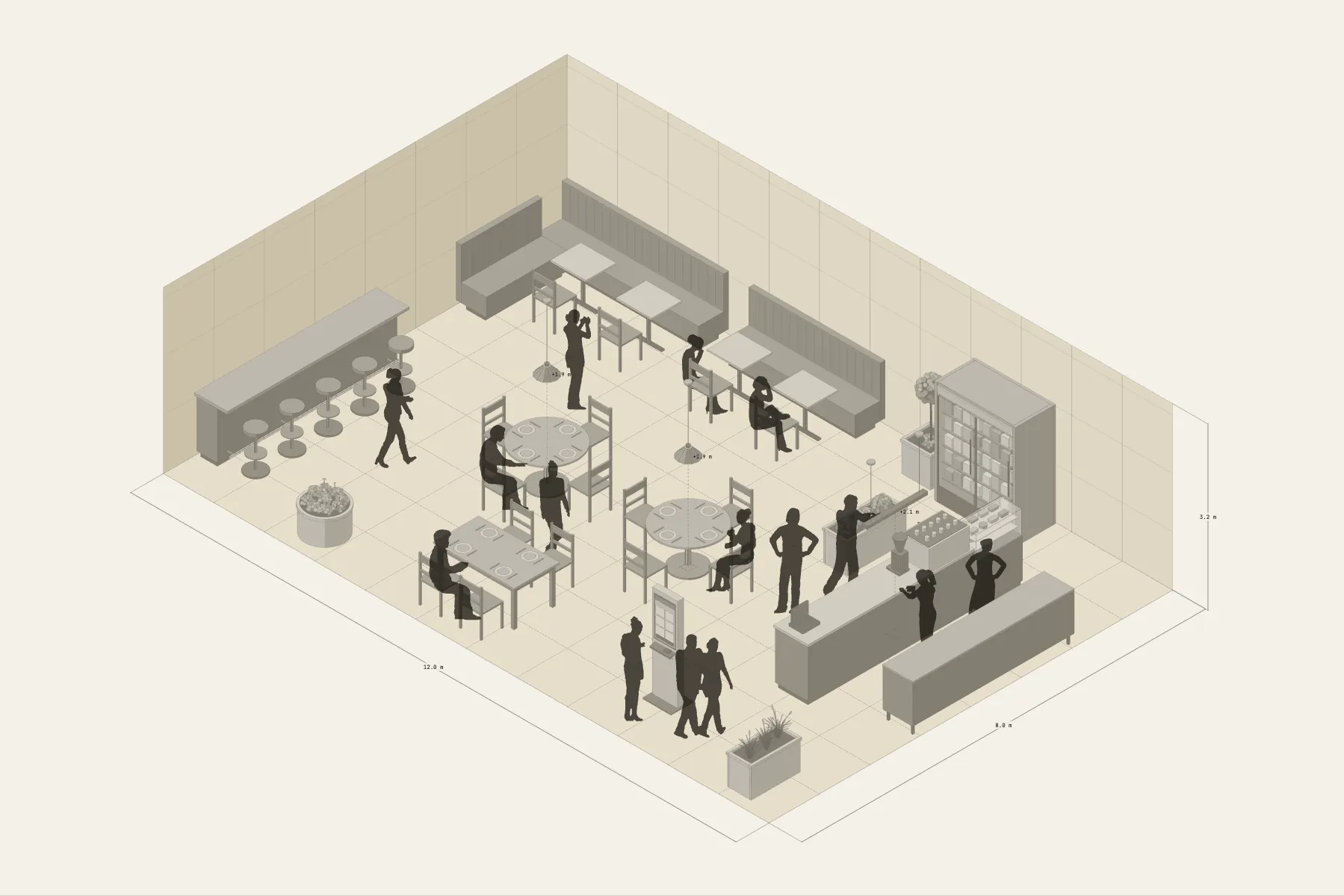
A 12 × 8 m café on a side street, with thirty seats. You order at the kiosk by the door and drinks come from the 4.2 m counter. People settling in take the L-shaped banquette in the corner, friends gather at a round table, and anyone on their own sits at the high bar. Pendant lights and plants separate the seating areas.
When it helps
- While viewing a unit, to estimate the number of seats.
- You are discussing the counter position and the seating with a designer, an equipment supplier or a business partner.
- You want to check the ordering queue won’t block the seats.
What’s already laid out
- A 4.2 m coffee counter with a pastry case; a back counter behind it, with the barista between the two.
- An L-shaped banquette in the corner, seating four.
- Round tables, a long table and a high bar, each in its own area.
- An ordering kiosk at the door.
- Pendant lights and plants.
- Plus 14 figures for scale and circulation. If you don’t need them, delete them all in one go.
Making it yours
- Press “Start from this one”. The template opens in the editor as your own drawing; whatever you change, the original template stays as it was.
- For a different seat count, tables and chairs come in sets — copy or delete them.
- The counter length is adjustable, and the pastry case is optional.
- Change the unit’s size in the Space panel.
- For anything missing, press Components at the bottom: search by name and click to place it. Select what you don’t need and press Delete.
- When the layout is right, press Download at the top right to save it as an image, then drop it into a deck or send it as it is.
What to settle first
- Place the counter and back counter first. The plumbing and power are here and won’t move.
- Then the seating: banquettes against the walls first, round tables in the middle after.
- The high bar gets its own area, for people who come alone.
- Drop a few people in and see whether the ordering queue blocks any seats.
What you end up with
- A layout drawing
- Download it as a PNG or JPG, at a resolution that holds up in a deck or a proposal.
- An object list
- The name and quantity of everything on the drawing. Change the drawing and the list changes with it.
- A length for every cable
- Power and signal runs have a length as soon as they are drawn. Order from those numbers.
- A link to send
- Once you sign in, the drawing can become a link that opens in any browser.