The scene
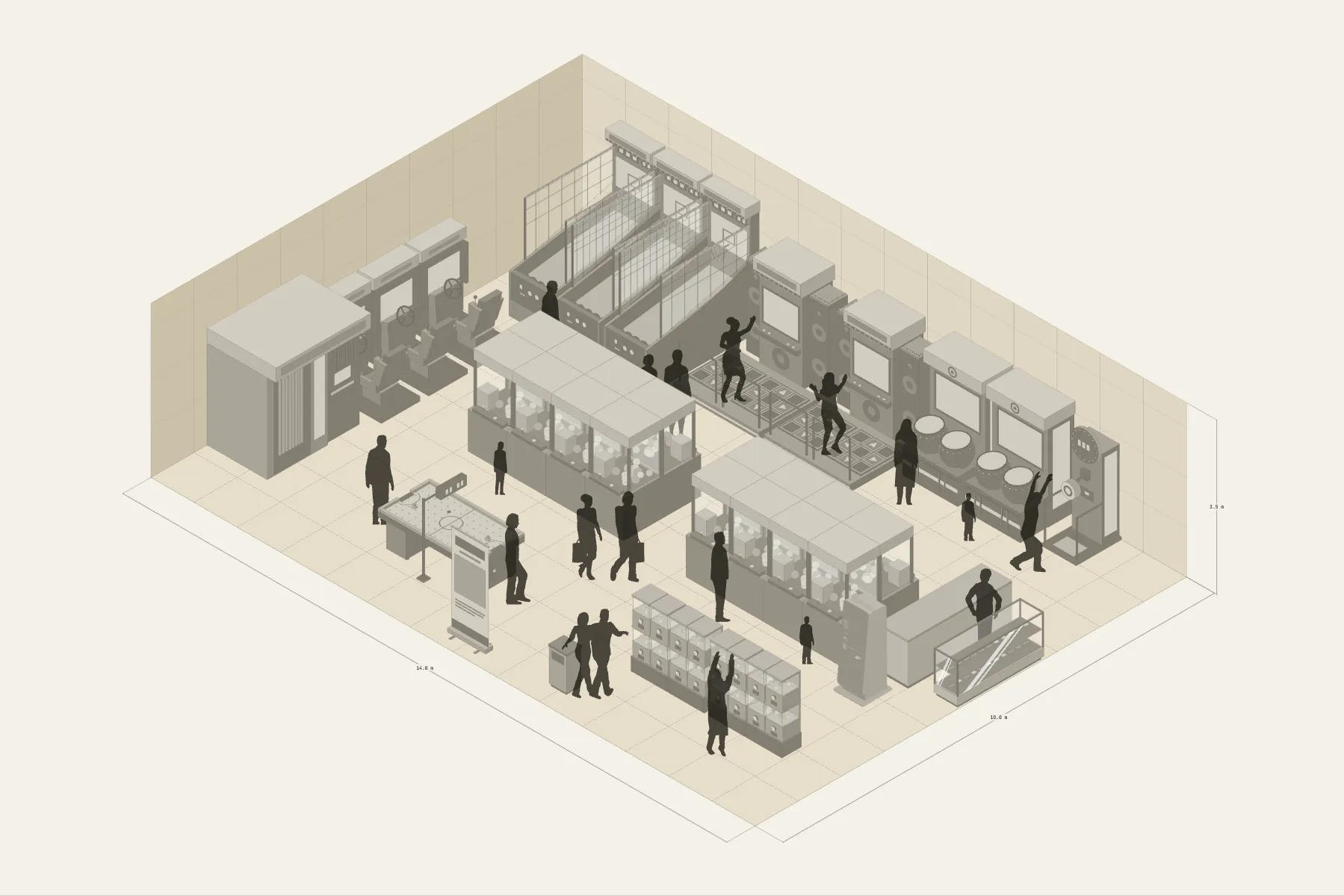
A game arcade in a shopping centre. Sixteen claw machines stand in two islands, and customers circle each island looking from one machine to the next. Along the walls are the big cabinets — basketball, dance, the drum game, racing — with the players in front and the onlookers behind them. A change machine sits by the entrance: get your coins on the way in.
When it helps
- While viewing a unit, to estimate how many machines the floor takes.
- You need to confirm machine counts and sizes with the supplier.
- You want aisles and sightlines that don’t block each other.
What’s already laid out
- Sixteen claw machines in two back-to-back islands, eight to an island.
- Large cabinets along the walls: basketball, dance, drum game, racing and a photo booth.
- Capsule machines and an air hockey table in the middle.
- A change machine by the entrance, which also sells cards.
- Plus 16 figures for scale and circulation. If you don’t need them, delete them all in one go.
Making it yours
- Press “Start from this one”. The template opens in the editor as your own drawing; whatever you change, the original template stays as it was.
- For a different machine count, copy one machine or a whole island.
- Every machine is at real size; to change models, drag them in from Components.
- Measure the gap between islands with a dimension line.
- For anything missing, press Components at the bottom: search by name and click to place it. Select what you don’t need and press Delete.
- When the layout is right, press Download at the top right to save it as an image, then drop it into a deck or send it as it is.
What to settle first
- Place the big wall cabinets first. Tall ones against the wall, with room in front for the players.
- Then the claw machine islands. The aisle between them should let two people pass.
- Use the space in the middle for low machines, so sightlines stay open.
- The change machine goes by the door.
What you end up with
- A layout drawing
- Download it as a PNG or JPG, at a resolution that holds up in a deck or a proposal.
- An object list
- The name and quantity of everything on the drawing. Change the drawing and the list changes with it.
- A length for every cable
- Power and signal runs have a length as soon as they are drawn. Order from those numbers.
- A link to send
- Once you sign in, the drawing can become a link that opens in any browser.