The scene
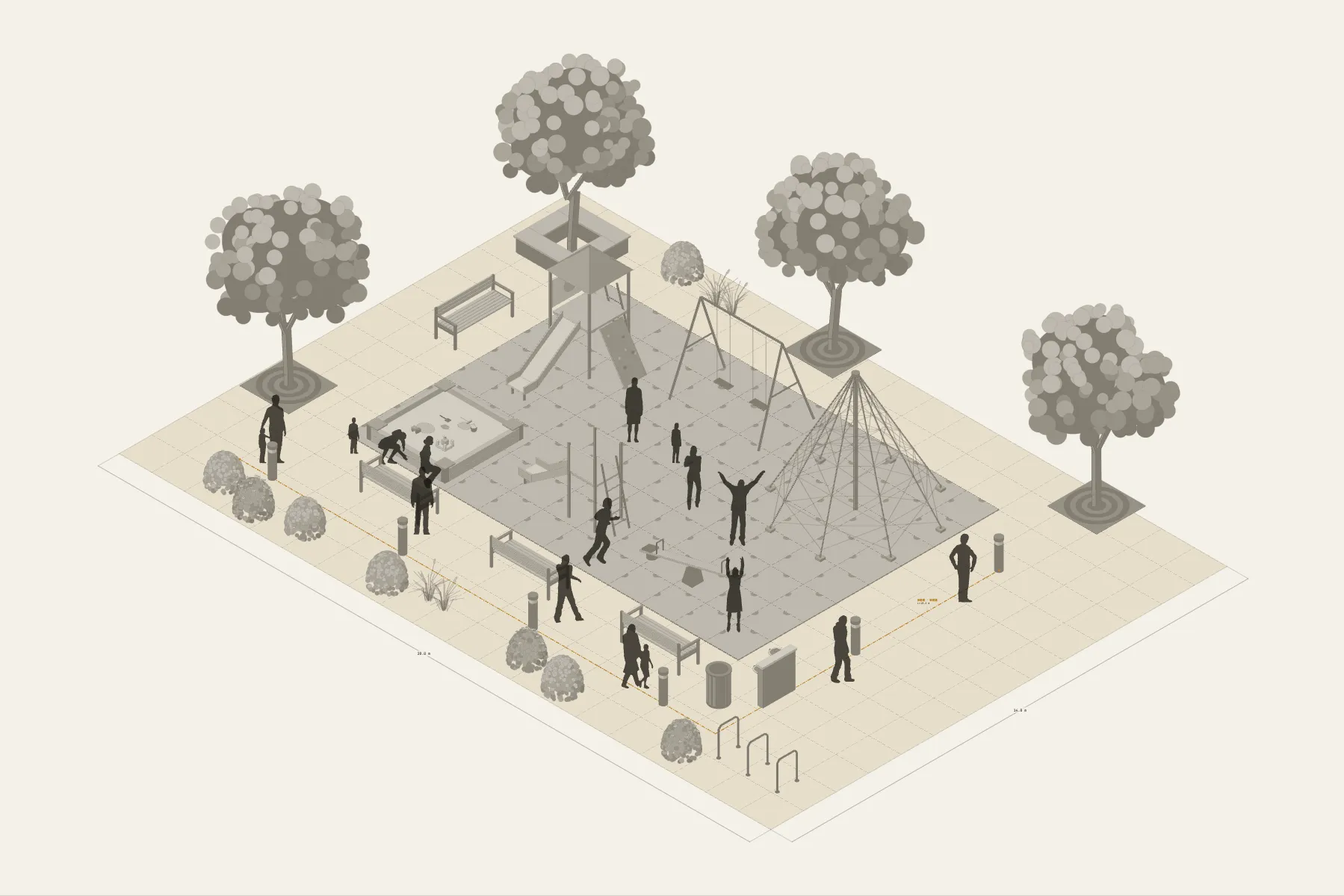
A playground in a community park. The middle 12 × 8 m is covered in safety tiles, with a play structure, swings, a climbing net and a sandpit on it, and children running from one to the next. The adults watch from outside the surfacing. At dusk the path lights come on, all the way round the site.
When it helps
- A community, school or landscape designer is making a proposal and wants residents to see the result.
- You are estimating the number of safety tiles and pieces of equipment.
- You want to check the clear space round each piece.
What’s already laid out
- Ninety-six 1 × 1 m safety tiles laid as a 12 × 8 m play area.
- A play structure, swings, a climbing net (4 × 4 m, 3.7 m high) and a sandpit.
- Clear space round each piece, with none overlapping.
- Trees and seating outside the surfacing.
- One path-lighting circuit round the site.
- Plus 15 figures for scale and circulation. If you don’t need them, delete them all in one go.
Making it yours
- Press “Start from this one”. The template opens in the editor as your own drawing; whatever you change, the original template stays as it was.
- The surfacing is painted in grid squares; change the area and the tile count recalculates.
- To change a piece or add one, drag it in from Components.
- Measure the distance between two pieces with a dimension line.
- For anything missing, press Components at the bottom: search by name and click to place it. Select what you don’t need and press Delete.
- When the layout is right, press Download at the top right to save it as an image, then drop it into a deck or send it as it is.
What to settle first
- Lay the surfacing first to fix the extent of the play area.
- Then the equipment. Leave space clear in front of and behind the swings and at the end of the slide.
- Planting and seating go round the outside, where adults can sit and see the whole area.
- Run the path-lighting circuit last.
What you end up with
- A layout drawing
- Download it as a PNG or JPG, at a resolution that holds up in a deck or a proposal.
- An object list
- The name and quantity of everything on the drawing. Change the drawing and the list changes with it.
- A length for every cable
- Power and signal runs have a length as soon as they are drawn. Order from those numbers.
- A link to send
- Once you sign in, the drawing can become a link that opens in any browser.