The scene
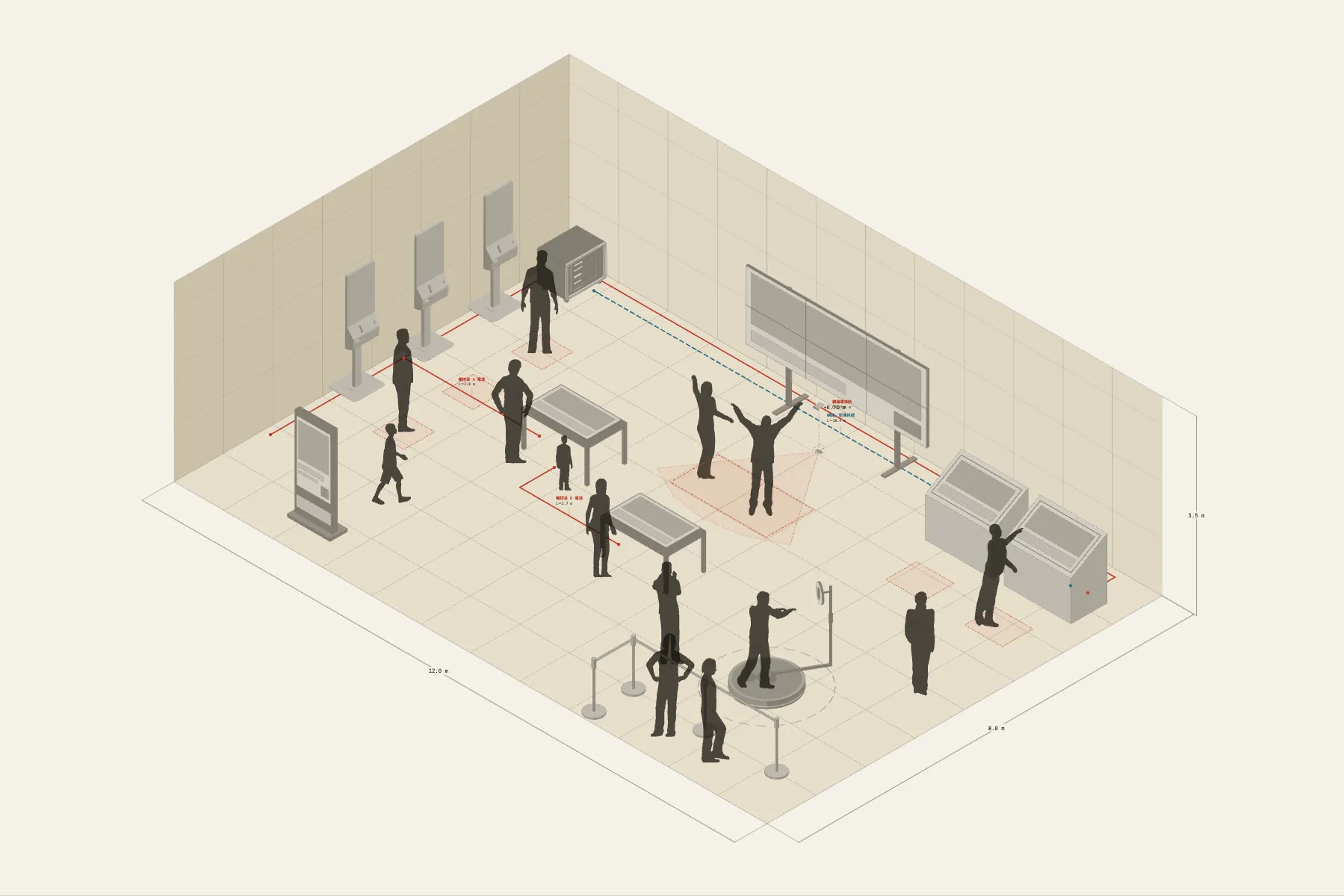
An exhibition zone with eight interactive pieces. A video wall faces you, with the motion-tracking range marked on the floor in front of it: step in and the picture responds. A row of kiosks along the side wall lets people look things up themselves, and several people can gather round the touch tables in the middle. The busiest spot is the 360 photo platform in the corner, with space left beside it for a queue.
When it helps
- In a proposal, to explain where each piece goes and how visitors move between them.
- You need to confirm screen and sensor counts and power positions with the hardware supplier.
- Space is tight and you want to see whether it all fits and whether the routes tangle.
What’s already laid out
- A video wall centred on the back wall and a row of kiosks along the left wall.
- Two touch tables and one angled interactive console.
- A motion-tracking area: a depth camera with a 70° field of view and 3.4 m range, its trigger zone drawn on the floor.
- A 2 m 360 photo platform with room beside it for a three-person queue.
- Four cable runs: a power rail along the wall, network and video signal, and power for the two touch tables.
- Plus 14 figures for scale and circulation. If you don’t need them, delete them all in one go.
Making it yours
- Press “Start from this one”. The template opens in the editor as your own drawing; whatever you change, the original template stays as it was.
- Drag the pieces to change their number and position; move the figures with them to see how crowded it gets.
- Sensing angles and distances can be set to your own sensor’s specification.
- For a different venue, change the zone’s width and depth, then let the entrance side decide the direction of the route.
- For anything missing, press Components at the bottom: search by name and click to place it. Select what you don’t need and press Delete.
- When the layout is right, press Download at the top right to save it as an image, then drop it into a deck or send it as it is.
What to settle first
- Place the wall-mounted displays first; they take no floor space.
- Then the pieces people stop at, each with standing room in front.
- Draw the trigger zones. Where two sensing ranges overlap, they will interfere on site.
- Run cables round the walls, then branch to the tables in the middle.
What you end up with
- A layout drawing
- Download it as a PNG or JPG, at a resolution that holds up in a deck or a proposal.
- An object list
- The name and quantity of everything on the drawing. Change the drawing and the list changes with it.
- A length for every cable
- Power and signal runs have a length as soon as they are drawn. Order from those numbers.
- A link to send
- Once you sign in, the drawing can become a link that opens in any browser.