The scene
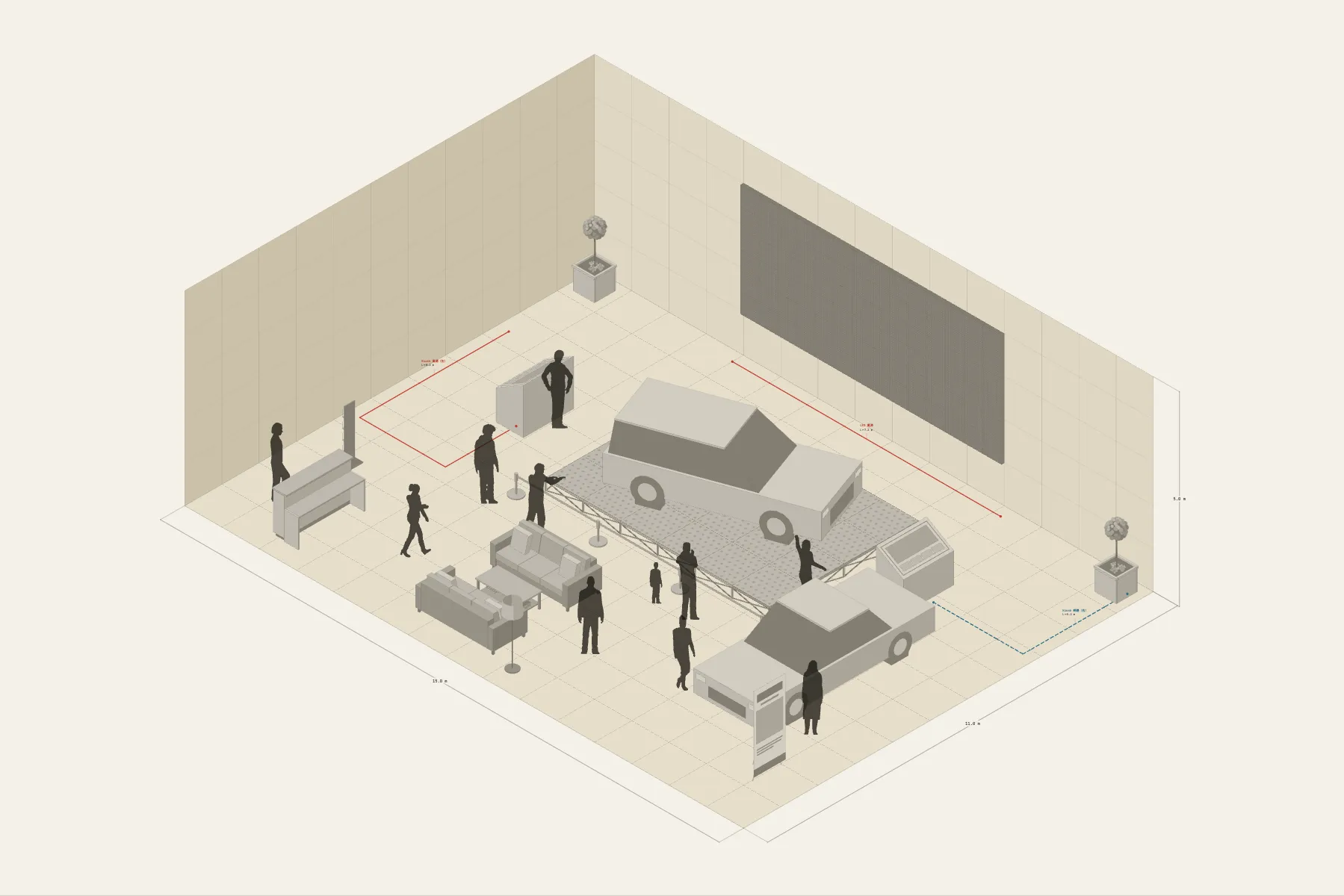
A new car launch in a brand showroom. The lead car stands on a platform in front of the LED wall, low rope barriers along its front edge, and guests walk round it. A second car is parked to the side. Two screens let people look through the options for themselves, and afterwards they are shown to the sofas by the entrance to sit down and talk.
When it helps
- Marketing or the event company needs to agree the set-up with the showroom.
- You are estimating the platform, LED panels and reception furniture.
- You want the viewing route and the consultation area kept out of each other’s way.
What’s already laid out
- A 7 × 3 m LED wall centred on the back wall.
- A car platform, 6 × 4 m and 0.3 m high, set 1.2 m off the wall.
- Rope barriers along the platform’s front edge.
- Two configurator screens and one brochure stand.
- A reception counter and consultation area by the entrance.
- Three cable runs: power and network to the two screens, and power for the LED wall.
- Plus 11 figures for scale and circulation. If you don’t need them, delete them all in one go.
Making it yours
- Press “Start from this one”. The template opens in the editor as your own drawing; whatever you change, the original template stays as it was.
- The cars are adjustable objects at real size; saloon, SUV and other body types can be swapped.
- The platform is painted in grid squares, so its size can be changed directly.
- For a different venue, change the width, depth and ceiling height first.
- For anything missing, press Components at the bottom: search by name and click to place it. Select what you don’t need and press Delete.
- When the layout is right, press Download at the top right to save it as an image, then drop it into a deck or send it as it is.
What to settle first
- Put up the LED wall and place the car platform first, leaving walking room between platform and wall.
- Then mark the viewing route: rope barriers, screens, brochure stand.
- Reception and consultation go by the entrance, so guests are met as they come in.
- Cables last, with the screens’ runs along the walls.
What you end up with
- A layout drawing
- Download it as a PNG or JPG, at a resolution that holds up in a deck or a proposal.
- An object list
- The name and quantity of everything on the drawing. Change the drawing and the list changes with it.
- A length for every cable
- Power and signal runs have a length as soon as they are drawn. Order from those numbers.
- A link to send
- Once you sign in, the drawing can become a link that opens in any browser.