The scene
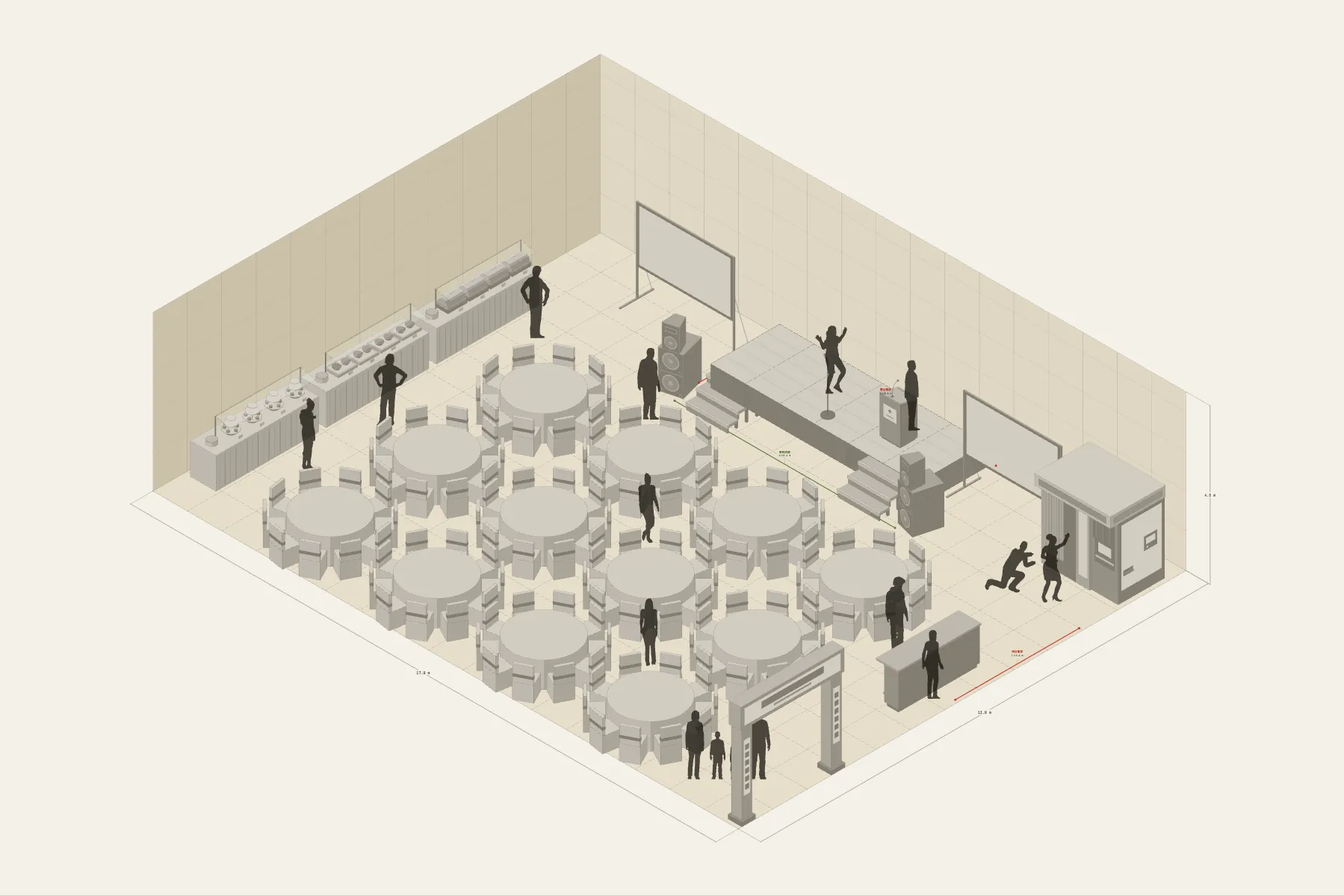
A company’s year-end dinner: 120 people in one hotel banquet hall. The stage is at the front with a projection screen on either side, and twelve round tables run back from it. The food is a buffet along the side wall. On the entrance side there is a bar and a photo booth, where people gather before they sit down.
When it helps
- You need to confirm with the hotel or venue how many tables the room takes and how big the stage can be.
- You need one drawing for the event company or the sound supplier that shows where the stage, the screens and the power are.
- It is your first time organising a company dinner and you want to see the whole room laid out first.
What’s already laid out
- A 6 × 2 m stage, 0.6 m high, centred on the back wall with a projection screen on each side.
- Twelve 1.8 m round tables, ten seats each.
- A buffet along the left wall.
- A bar and a photo booth at the front right, near the entrance.
- Three cable runs: speaker signal, stage power and bar power.
- Plus 13 figures for scale and circulation. If you don’t need them, delete them all in one go.
Making it yours
- Press “Start from this one”. The template opens in the editor as your own drawing; whatever you change, the original template stays as it was.
- For a different table count, copy or delete a table; the table and chair counts in the list follow.
- The table diameter and seats per table are adjustable.
- For a different venue, change the hall’s width and depth first, then drag the tables back in front of the stage.
- For anything missing, press Components at the bottom: search by name and click to place it. Select what you don’t need and press Delete.
- When the layout is right, press Download at the top right to save it as an image, then drop it into a deck or send it as it is.
What to settle first
- Set the stage first. It decides which way every table faces.
- Then lay out the round tables, working back from the front row and leaving an aisle to the stage.
- Keep the buffet and bar at the edges so the queues don’t cut through the tables.
- Run the cables last, and check which wall the stage and bar power come from.
What you end up with
- A layout drawing
- Download it as a PNG or JPG, at a resolution that holds up in a deck or a proposal.
- An object list
- The name and quantity of everything on the drawing. Change the drawing and the list changes with it.
- A length for every cable
- Power and signal runs have a length as soon as they are drawn. Order from those numbers.
- A link to send
- Once you sign in, the drawing can become a link that opens in any browser.