The scene
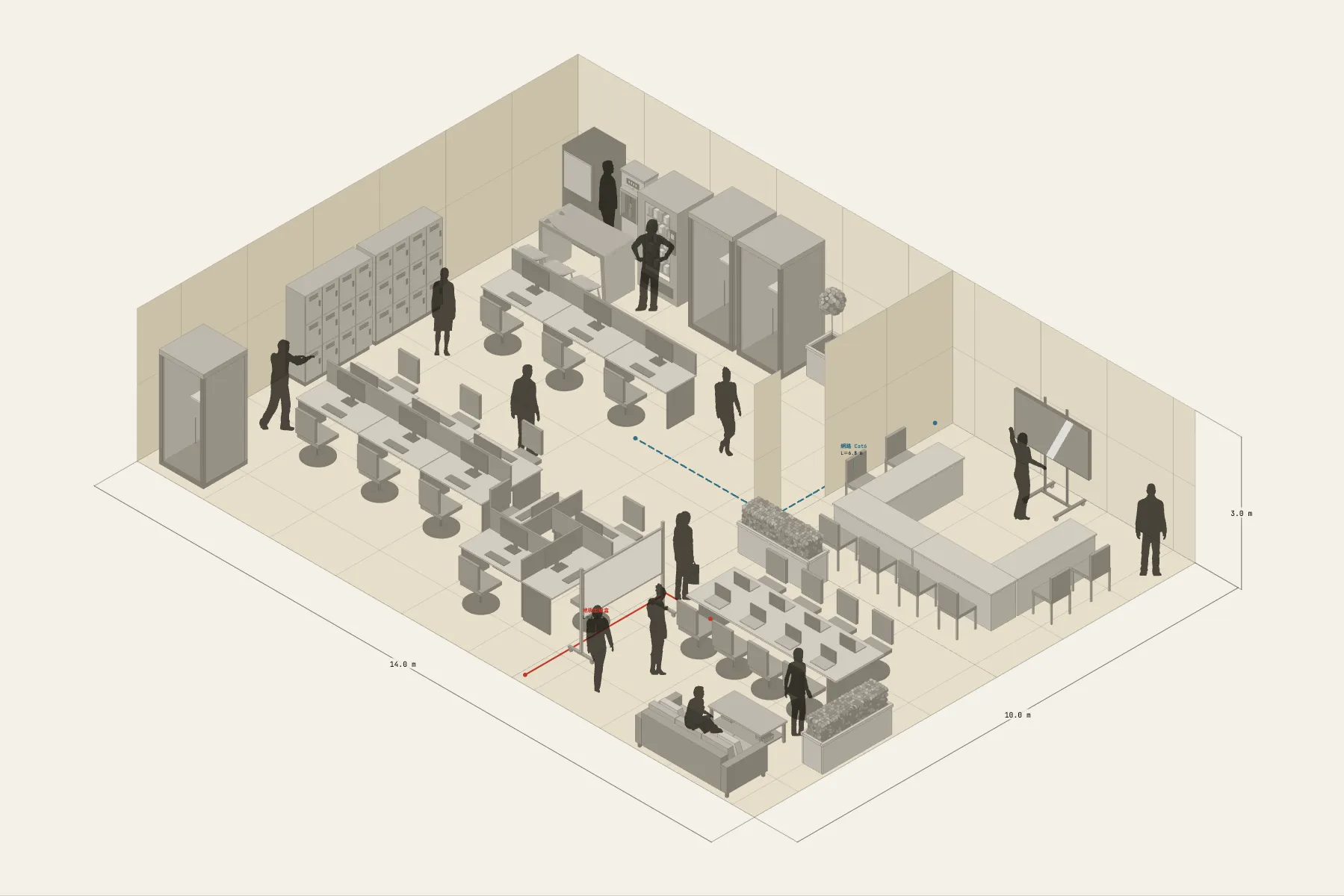
One 140 m² floor of a coworking office. The larger room is the open office: four groups of bench desks, 21 seats in all. Anyone taking a call steps into a phone booth alongside, and meetings go into the U-shaped room next door. The tea point has vending machines, a water dispenser and a high table, and there is a sofa for a break.
When it helps
- Before viewing or signing for an office, to see how many seats the floor takes.
- You are discussing layout and quantities with an interior designer or furniture supplier.
- You want the team to see the seating plan and where the shared areas are.
What’s already laid out
- Four groups of bench desks with an aisle between each.
- A U-shaped meeting room for eight with a 75-inch screen on the wall.
- Phone booths along one side and lockers by the entrance.
- A tea point with vending machines, a water dispenser and a high table; a sofa in the break area.
- Two cable runs: network from the comms room to the desks, and a floor box to the meeting room.
- Plus 13 figures for scale and circulation. If you don’t need them, delete them all in one go.
Making it yours
- Press “Start from this one”. The template opens in the editor as your own drawing; whatever you change, the original template stays as it was.
- This template uses a custom space shape (two rooms). Pro can reshape the rooms; the free version can change everything inside them.
- For a different head count, the desk groups are adjustable — seats per group and number of rows.
- To see how wide an aisle is, draw a dimension line.
- For anything missing, press Components at the bottom: search by name and click to place it. Select what you don’t need and press Delete.
- When the layout is right, press Download at the top right to save it as an image, then drop it into a deck or send it as it is.
What to settle first
- Place the fixed things first: partitions, meeting room, tea point. They rarely move.
- Then the work area. Start the desk groups along the longest wall and count seats.
- Put the phone booths between the work area and the meeting room, within reach of both.
- Run network and power last, and check every desk group has a feed.
What you end up with
- A layout drawing
- Download it as a PNG or JPG, at a resolution that holds up in a deck or a proposal.
- An object list
- The name and quantity of everything on the drawing. Change the drawing and the list changes with it.
- A length for every cable
- Power and signal runs have a length as soon as they are drawn. Order from those numbers.
- A link to send
- Once you sign in, the drawing can become a link that opens in any browser.