The scene
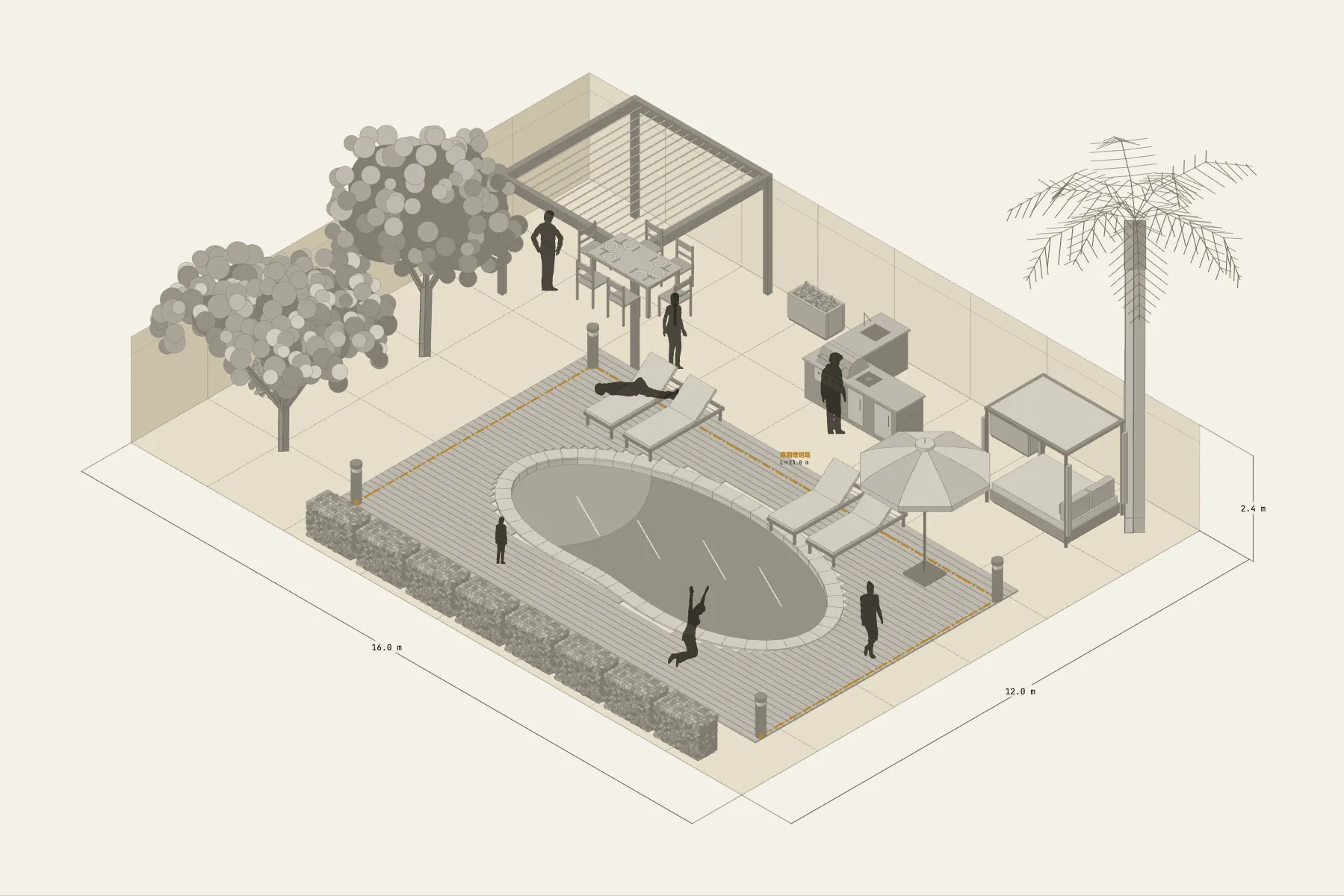
The backyard of a house in the hills. In the middle is an 8 m freeform pool with three sun loungers and a parasol beside it. On the other side a pergola covers the dining table, next to an L-shaped outdoor kitchen for grilling. Trees and shrubs line the edges, and four garden lights mark the way at night.
When it helps
- You want to see how big a pool the garden takes and how much space is left around it.
- You are discussing position and size with a landscaper or pool contractor.
- You are planning outdoor lighting and want a rough length for the circuit.
What’s already laid out
- A freeform pool, 8 × 4.2 m, with paving all round.
- Three sun loungers and a parasol by the pool.
- An L-shaped outdoor kitchen: gas grill, sink and bar counter.
- A dining table under the pergola; trees and shrubs along the garden’s edges.
- One garden lighting circuit running round the garden.
- Plus 7 figures for scale and circulation. If you don’t need them, delete them all in one go.
Making it yours
- Press “Start from this one”. The template opens in the editor as your own drawing; whatever you change, the original template stays as it was.
- The pool’s shape and size are adjustable, and the paving is painted in grid squares.
- Change the garden size in the Space panel; one grid square here is 2 m.
- The lighting circuit’s length follows the path you drag, which helps when estimating cable.
- For anything missing, press Components at the bottom: search by name and click to place it. Select what you don’t need and press Delete.
- When the layout is right, press Download at the top right to save it as an image, then drop it into a deck or send it as it is.
What to settle first
- Set the pool and paving first — they are the largest piece of the garden.
- Put the kitchen and dining area on the side nearest the house, the shortest way to carry food.
- Place the loungers according to where the sun is.
- Fill the boundary with planting, then run the lighting circuit.
What you end up with
- A layout drawing
- Download it as a PNG or JPG, at a resolution that holds up in a deck or a proposal.
- An object list
- The name and quantity of everything on the drawing. Change the drawing and the list changes with it.
- A length for every cable
- Power and signal runs have a length as soon as they are drawn. Order from those numbers.
- A link to send
- Once you sign in, the drawing can become a link that opens in any browser.