Revision[01]
One change,
three files to update
The drawing changes and the schedule does not. The schedule changes and the quote does not.
[00] Introduction
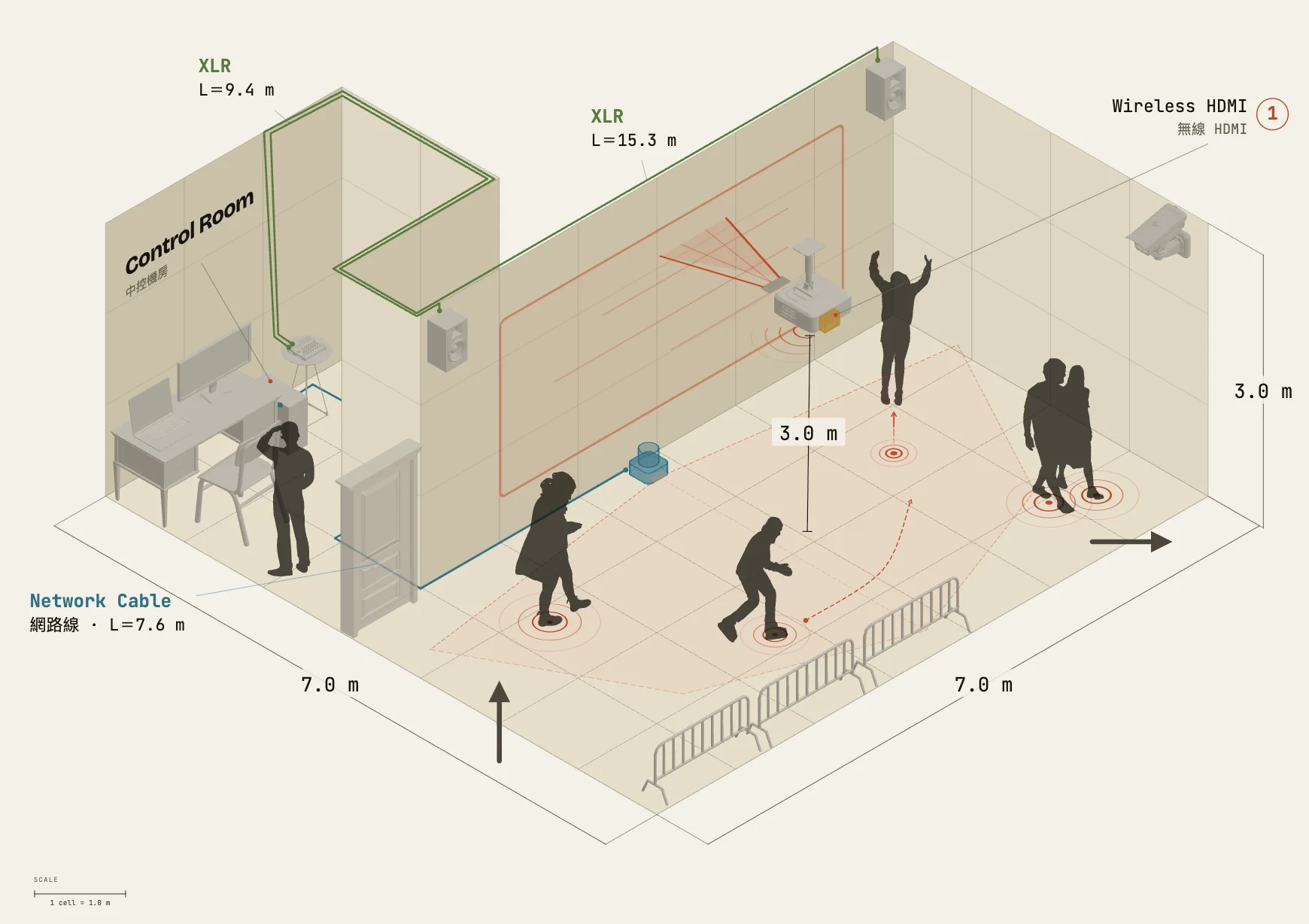
Everything on the drawing carries a name, a spec and a tag — and all of it exports with the drawing. Change the layout and the lists follow.
See what it does ↓[01] Problems
The layout is in a deck. The quantities are in a spreadsheet. The latest change is in a chat thread. And the one person who can edit the drawing is on three other jobs.
Revision[01]
The drawing changes and the schedule does not. The schedule changes and the quote does not.
Bottleneck[02]
One person in the studio opens CAD, so every job queues behind them.
Versions[03]
Each drawing in the thread looks newer than the last, and nobody can say which is final.
Handover[04]
The client cannot read CAD, so hand-over still costs twenty minutes of talking.
[01] Layout
[02] Place
[03] Connect
[04] Share
[02] How it works
One layout, revised from pitch all the way to load-in.
Start from a common room size, or draw your own: L-shapes, islands and door openings all work (Pro). Open it and go.
1,000+ assets, each with its own size, orientation and height off the floor; over 130 kinds also let you change the count and the style. Every one you place adds a line to the list.
Where the audience goes, where they look, how the devices connect. Cable lengths follow the runs, so nothing has to be measured twice.
Dimensions, tags and sheet status are on the drawing, and a filled-in title block is ready to hand over. Change the layout and the link is the current version.
[keep scrolling]
[03] See it work
Every clip below is an unedited screen recording of the Misea editor. Point at one and it plays.
[01]
Pull an HDMI run across, move a device — the equipment list and cable schedule move as you do it. How many runs, how many metres: it counts.
[02]
Stand behind the table and the table hides you — 2D effort, 3D correctness.
[03]
Signal and power runs with length and height, occluded by whatever stands in front of them.
[04] Gallery
Sample scenes drawn in Misea, one for each of nine kinds of space. The projects are made up; the drawings are not. Open one to see it large.
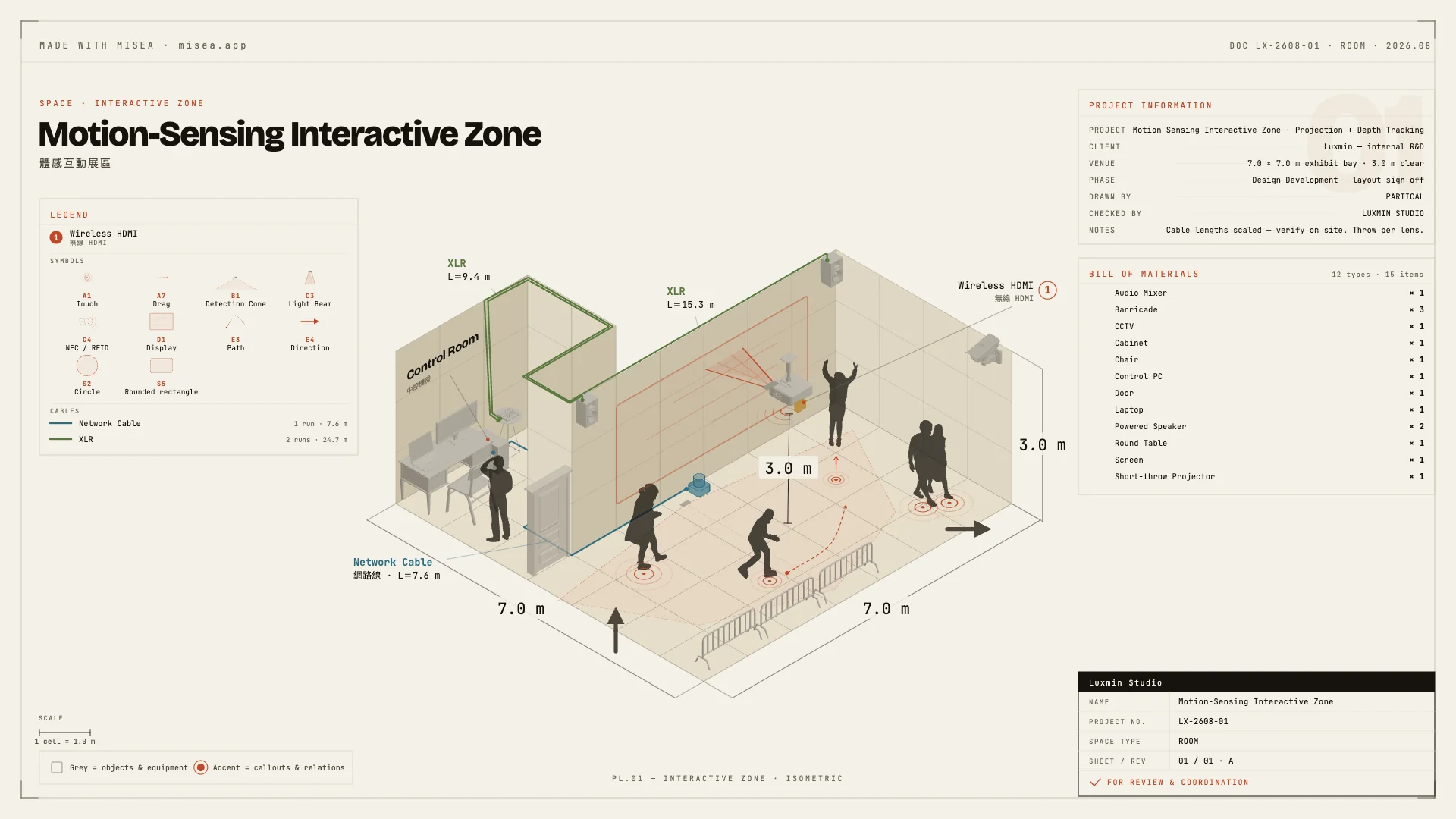
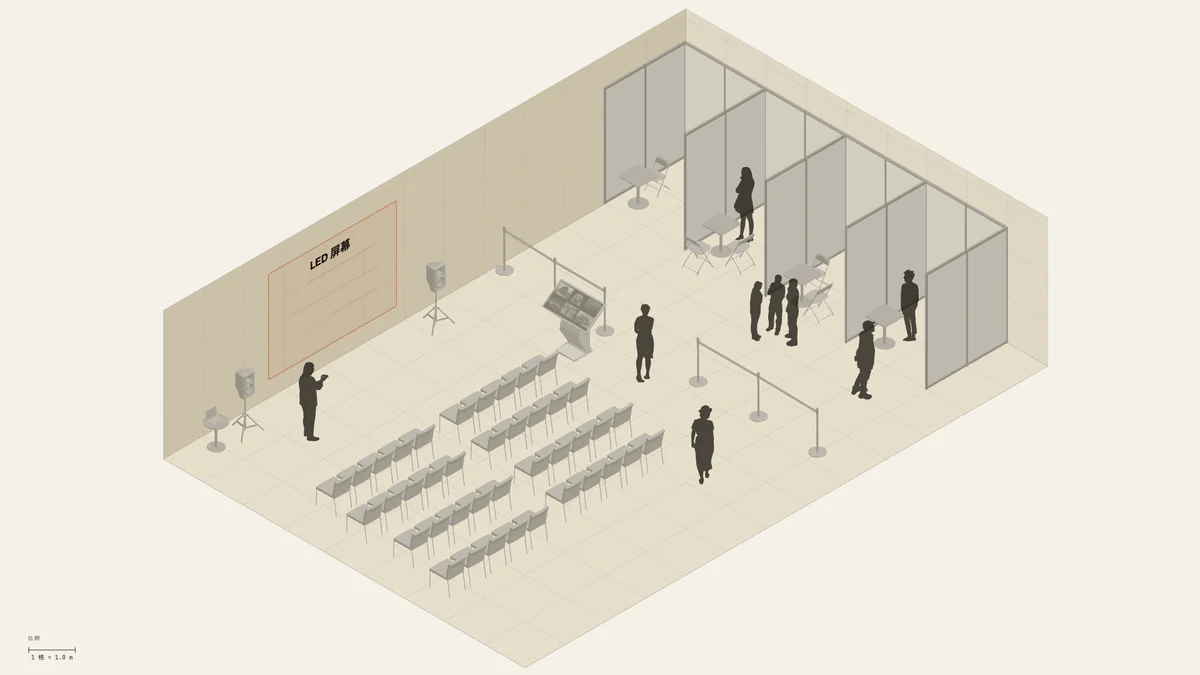
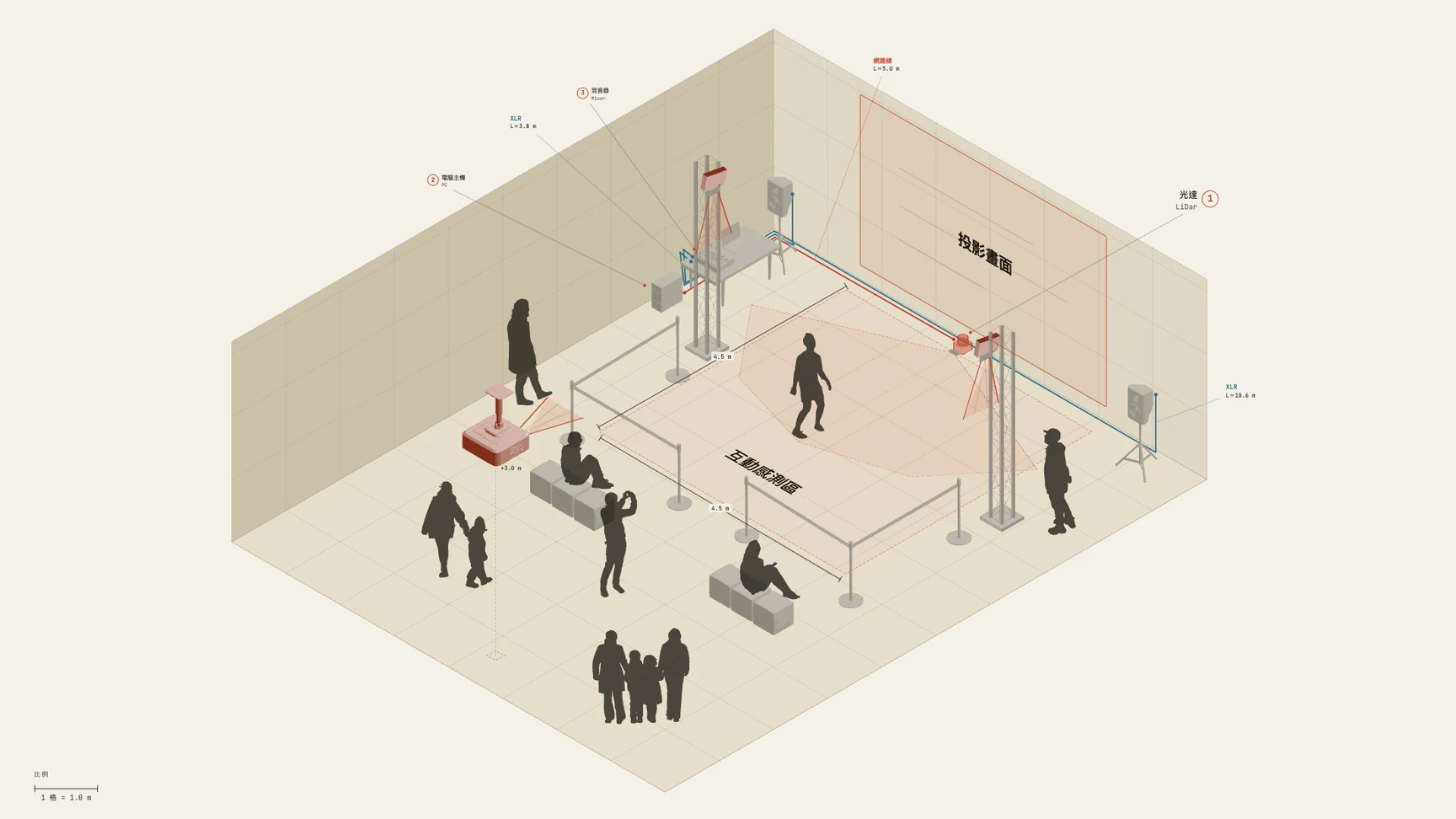
Fig. 01 — A full sheet: project number, revision, schedule
[05] Use cases
[06] Studio note
The Misea you are using grew out of one real project after another.
Misea began as an internal tool at Luxmin. We build interactive experiences and exhibitions. Before every build we had to draw the room, the projection, the sensors and the audience flow into one picture. Nothing we could find fitted the job, so we made one for ourselves.
ParticalExperience Design Director, Luxmin
Support
Misea is made by Luxmin, a studio working in interactive experience and creative engineering. If you get stuck, find a problem or want something that is not there yet, write to us。
[07] Plans
Free is not a trial: the asset library, the editor, title blocks and schedules are all in it, and exported images carry no watermark.
Pro
$19/mo, billed annually$24/mo, billed monthly
$228 once a yearBilled monthly, cancel any time
Subscribe to Pro · Annual →Subscribe to Pro · Monthly →Drawing (no account needed)
Hand-over
Cloud (with an account)
Cancel any time · 14-day refund window · No credit card needed for Free
[08] FAQ
Using it
Misea is for the early stages — proposals, layout discussions and site conversations. It holds the space, the objects and the equipment relationships on one drawing, legible to everyone at once. Exhibitions, pop-ups, interiors and commercial spaces, interactive installations and multimedia rooms all suit it. When the project needs detailed modelling, engineering calculation or construction documentation, the agreed layout goes on to CAD or a 3D tool. They divide the stages of the work between them; one does not replace the other.
Yes. Open the editor, build a layout and export PNG / JPG without creating an account. The export carries no watermark. While you are signed out the project lives in the browser you are using. Clearing browser data, changing device or switching browser may put it out of reach. Download a backup for anything that matters, or sign in and use cloud projects — Free comes with 3.
Yes. They are counted straight off the objects and runs on the drawing, so if the layout changed, the list is already current. Outward-facing line-item names are yours to set — turning Mixer4 into the actual model, say. You also choose which categories count towards purchasing.
No. Give truss and uprights a total length and it cuts them to catalogue lengths, then tells you how many of each. Give LED walls, carpet and stage decks an area and it counts the pieces; paint out the cut corners cell by cell. Over 130 kinds of object, from canopies and event seating to shelving, are parametric — change the count or the size and the shape follows, instead of swapping in a fixed picture.
Yes. A rectangle is the quickest start. Drag out a second and a third room and merge them, and you have L-shapes, recesses and islands. Walls can be painted a segment at a time, opened for a doorway or set to their own height. Merged custom outlines are a Pro feature; a single rectangular space is free.
Yes. The interface language and the sheet language are two separate things. Work in the language you prefer, and set the callouts, title block and schedules on the sheet to another one. Handing over a drawing in English costs you nothing on your side of the screen.
Plans and billing
Free already includes the whole editor and the whole asset library, with title blocks, the equipment list and the cable schedule. Sign in and you add 3 cloud projects, a 100-image photo library and read-only share links. Export is PNG / JPG. What Pro adds is hand-over: SVG / PDF / HTML export, and XLSX / CSV export of the equipment list and cable schedule. The Misea attribution on the sheet and the share page can be switched off. Custom room outlines and version history come with it.
Annual works out at $19/mo, billed as $228 once a year. Switch to monthly, $24/mo. The features are identical; annual saves $60 over a year.
You can cancel any time. Pro runs to the end of the period you have paid for, and the account then returns to Free.The projects you already have are kept — you can view, edit, update, download and delete them. If you hold more than the 3 that Free allows, you cannot add a new project until you are back under 3. Photos work the same way. The library goes back to 100 images, the ones you have keep drawing and keep exporting, and you simply cannot upload more until you have freed up room. Existing share links keep working, and Misea branding returns the next time you generate a share.
Subscription payments are handled by Paddle, and Misea never stores your full card details. You can request a refund within 14 days of the transaction. Eligibility follows Paddle’s policy and the applicable law; the full terms are in the refund and subscription policy.
Yes. We offer an education plan for enrolled students and teaching institutions. Write to misea@luxmin.art with your school and course details.
There is no plan to withdraw it. Free keeps the full layout and editing capability, so that anyone can make a drawing.
[09] Start
The dimensions, tags, equipment and runs already on the drawing never have to be copied out a second time.